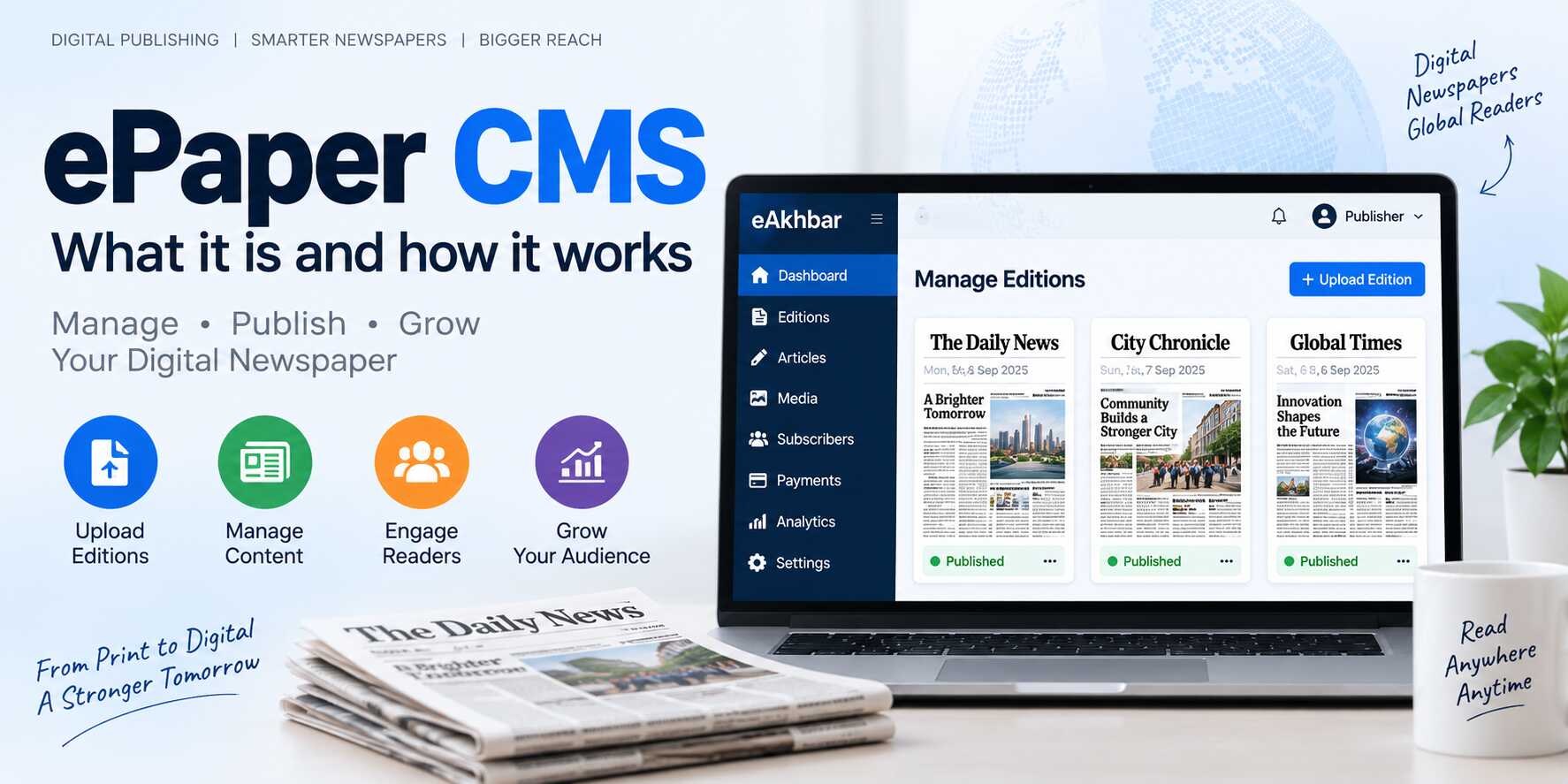
An ePaper CMS is a content management system designed specifically for newspaper publishers who want to create, manage and publish digital newspaper editions online.
The term ePaper refers to an electronic or digital version of a printed newspaper. An ePaper platform allows publishers to upload newspaper PDFs, organize editions, manage pages, connect articles and provide readers with a digital reading experience.
Unlike a standard website CMS, an ePaper CMS is designed around the specific needs of newspaper publishing.
A complete ePaper publishing system may include:
- PDF newspaper publishing
- Digital edition management
- Interactive newspaper viewing
- Article mapping
- Digital archives
- Article sharing
- Article continuation
- Reader subscriptions
- Online payments
- Mobile and PWA support
- SEO tools
- Role-based administration
- Reader analytics
- Custom domain and branding options
For publishers, an ePaper CMS provides a bridge between traditional print production and modern digital publishing.
Why Do Newspapers Need an ePaper CMS?
Newspapers traditionally depend on printed copies and physical distribution. However, readers increasingly expect news content to be available through websites, smartphones, tablets and digital platforms.
A newspaper publisher may need to provide access to:
- Daily digital editions
- Regional editions
- Weekly publications
- Special editions
- Historical archives
- Individual articles
- Mobile-friendly content
- Paid digital subscriptions
- Searchable newspaper content
Simply uploading a PDF to a website may not be enough for a professional digital newspaper operation.
An ePaper CMS provides a centralized system for managing the complete digital publishing workflow.
Publishers can use it to upload editions, organize publication dates, manage readers, control access and distribute newspapers to a wider audience.
If you want to understand the broader digital publishing process, read this guide on digital newspaper publishing.
How Does an ePaper CMS Work?
A typical ePaper CMS workflow looks like this:
Prepare Newspaper → Export PDF → Upload Edition → Manage Pages → Map Articles → Publish Online → Engage Readers
Step 1: Prepare the Newspaper
The editorial and design team prepares the newspaper using its regular production process.
The edition may contain:
- Headlines
- News reports
- Images
- Advertisements
- Editorials
- Business news
- Sports news
- Local news
- Classified advertisements
- Public notices
Step 2: Export the Newspaper as a PDF
After the newspaper design is completed, the final edition is exported as a PDF.
The PDF preserves the original newspaper layout, including:
- Page design
- Columns
- Images
- Typography
- Headlines
- Advertisements
- Page numbers
Step 3: Upload the PDF
The publisher uploads the PDF through the ePaper administration panel.
The PDF can then be assigned to a particular edition, such as:
- Daily Edition
- Morning Edition
- Evening Edition
- Sunday Edition
- Regional Edition
- Festival Edition
- Special Edition
For more information about converting a PDF newspaper into an online publication, read PDF to ePaper: How to Convert and Publish a Newspaper Online.
Step 4: Configure the Edition
The publisher can add important edition information, including:
- Edition name
- Publication date
- Language
- Region
- Cover image
- Description
- Publication status
- Access restrictions
- Subscription requirements
Step 5: Map Articles
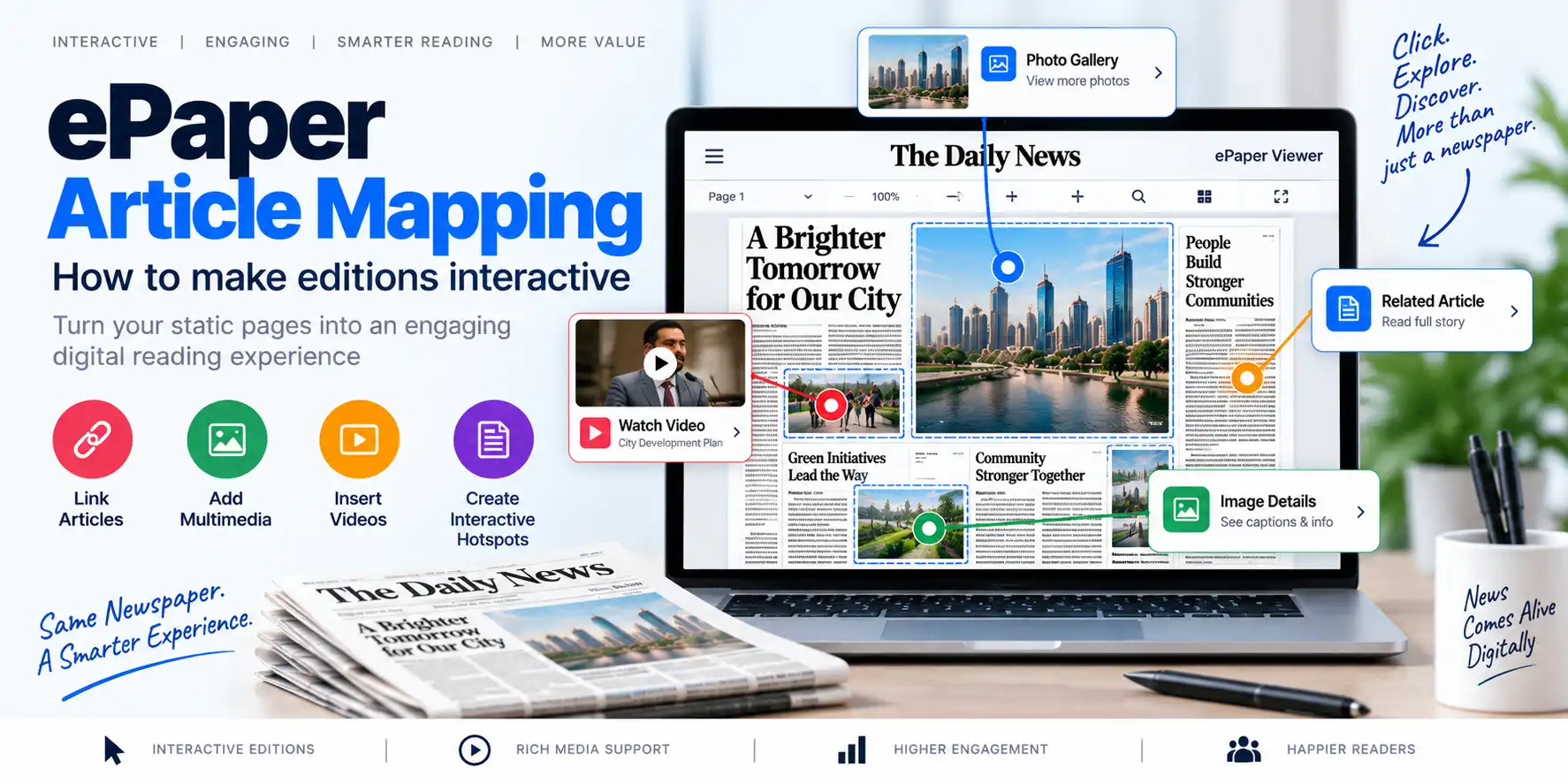
Article mapping makes the newspaper more interactive.
Instead of requiring readers to zoom into the entire PDF, the publisher can connect a particular area of the page to an individual article.
For example:
- Main headline → Full article
- Sports story → Sports article
- Business report → Business article
- Local news section → Local news page
Learn more about this feature in the guide to ePaper article mapping.
Step 6: Publish the Edition
After reviewing the edition, the publisher can make it available to readers through:
- Newspaper website
- ePaper viewer
- Mobile browser
- Progressive Web App
- Subscriber dashboard
- Branded digital newspaper platform
Important Features of ePaper CMS Software
When selecting an ePaper CMS, publishers should evaluate the following features.
Digital Edition Management
Edition management is the core function of an ePaper publishing platform.
It allows publishers to create, edit and organize different newspaper editions.
Useful capabilities include:
- Add new editions
- Upload PDF files
- Set publication dates
- Add cover images
- Manage regional editions
- Schedule publication
- Publish or unpublish editions
- Organize editions by language
- Manage special editions
A structured edition management system is particularly useful for newspapers publishing multiple editions every day.
PDF Publishing
Most newspapers already prepare their final edition in PDF format.
An effective ePaper CMS should allow publishers to upload and publish these PDFs without changing their existing production process.
A PDF publishing system should ideally support:
- Multiple PDF uploads
- Large file handling
- Page previews
- Secure access
- Edition organization
- Mobile viewing
- Download controls
- Digital archive storage
Publishers can also explore the guide on how to create an online newspaper website.
Interactive ePaper Viewer
The ePaper viewer is the interface through which readers access digital editions.
A modern viewer may include:
- Page-by-page navigation
- Zoom controls
- Full-screen mode
- Thumbnail previews
- Page search
- Download options
- Print options
- Mobile support
- Article selection
- Sharing tools
The viewer should be simple enough for readers of different age groups and technical abilities.
Article Mapping
Article mapping connects a specific area of a newspaper page to a digital article.
For example, a publisher can map a headline on Page 1 to a complete article page.
This feature can improve:
- Mobile reading
- Article accessibility
- Search engine visibility
- Article sharing
- Content discovery
- Reader engagement
Article mapping is especially useful when a newspaper contains multiple stories on the same page.
Digital Newspaper Archives
A digital archive allows readers to access previous newspaper editions.
Archives can be organized by:
- Date
- Month
- Year
- Edition
- Language
- Region
- Publication type
A well-organized archive can help readers discover historical reports, old editorials, local announcements and special publications.
It can also increase the long-term value of a newspaper website.
Article Continuation
Newspaper stories often begin on one page and continue on another.
For example:
Article begins on Page 1 → Continues on Page 8
An ePaper CMS with article continuation functionality can help readers move directly to the next section of the story.
This saves readers from manually searching for the continuation page.
Clip and Share
Clip and share functionality allows readers to select and share a particular newspaper section.
Readers may want to share:
- Local news
- Editorials
- Business announcements
- Sports stories
- Public notices
- Newspaper clippings
This can increase the visibility of the publication across social media and messaging platforms.
Search and Discovery
Search functionality is important for both current editions and historical archives.
Readers may search by:
- Keyword
- Headline
- Category
- Publication date
- Location
- Author
- Edition
- Topic
Article-level content can make search more useful than relying only on PDF file names.
Reader Subscriptions
Many publishers want to monetize their digital newspaper.
An ePaper CMS may support subscription models such as:
- Monthly subscriptions
- Annual subscriptions
- Digital-only plans
- Print-plus-digital plans
- Premium archive access
- Institutional subscriptions
- Free and paid content plans
For more information about digital monetization, read Newspaper Subscription Software: How to Monetize Your Digital Newspaper.
Online Payments
If a publisher offers paid digital access, the platform should support a reliable payment workflow.
Important payment features may include:
- Payment gateway integration
- Subscription activation
- Order management
- Payment status
- Digital receipts
- Renewal tracking
- Failed payment handling
- Refund management
Payment gateway availability depends on the platform and the publisher’s target market.
Role-Based Administration
A newspaper organization may include different teams, such as:
- Super administrator
- Publisher
- Editor
- Content manager
- Edition manager
- Subscription manager
- Finance team
- Customer support team
Role-based access allows administrators to control which features each team member can use.
This improves security and reduces the risk of accidental changes.
Mobile and PWA Support
Many readers access digital newspapers through smartphones.
An ePaper CMS should therefore provide a responsive experience across:
- Desktop computers
- Laptops
- Tablets
- Smartphones
Progressive Web App support can also provide an app-like experience through a mobile browser.
SEO Tools
A digital newspaper platform should provide SEO-friendly publishing capabilities.
Useful features may include:
- Custom page titles
- Meta descriptions
- Search-friendly article pages
- Canonical URLs
- Image optimization
- Structured data
- XML sitemap support
- Social sharing metadata
- Searchable archives
Publishers should ensure that article pages contain useful content instead of creating unnecessary duplicate pages for every PDF page.
ePaper CMS vs Traditional PDF Upload
There is a significant difference between uploading a PDF to a website and using a complete ePaper CMS.
| Traditional PDF Upload | ePaper CMS |
|---|---|
| File-focused | Edition-focused |
| Limited management tools | Centralized administration |
| Basic PDF viewing | Interactive ePaper viewer |
| Limited article access | Article mapping |
| Manual archive management | Structured digital archives |
| Limited reader management | Subscription and user management |
| Basic sharing | Article and clipping sharing |
| Limited mobile functionality | Mobile and PWA support |
| Separate payment setup | Subscription and payment integration |
| Limited publishing control | Complete digital publishing workflow |
A simple PDF upload may be sufficient for a small publication with basic requirements.
However, publishers planning long-term digital growth may benefit from a complete ePaper CMS.
Who Can Use an ePaper CMS?
An ePaper CMS can be used by different types of publishers.
Daily Newspapers
Daily newspapers can publish new editions regularly and maintain a searchable archive.
Weekly Newspapers
Weekly publications can upload editions according to their publishing schedule.
Regional Newspapers
Regional publishers can organize editions by city, district, language or region.
Community Newspapers
Community publications can distribute local news to a wider audience.
Business Newspapers
Business publications can publish industry, financial and commercial news.
Educational Publications
Schools, colleges and universities can publish newsletters, magazines and institutional newspapers.
Magazine Publishers
Some ePaper platforms can also support digital magazines and special publications.
Media Groups
Large publishing groups can manage multiple brands, editions and editorial teams through a centralized system.
How to Choose the Best ePaper CMS Software
Before selecting an ePaper CMS, publishers should evaluate the following areas.
Publishing Workflow
Check whether the software supports the existing PDF-based newspaper production process.
Edition Management
Confirm that the platform can manage daily, weekly, regional and special editions.
Article Features
Review whether it supports article mapping, article pages, article continuation and sharing.
Mobile Experience
Test the platform on different smartphones, tablets and desktop devices.
Subscription Features
If monetization is important, verify subscription plans, access control, renewals and payment functionality.
Security
Review login security, role-based access, backups, data protection and administrative controls.
Scalability
The platform should be able to handle increasing numbers of:
- Editions
- Articles
- Readers
- Subscribers
- Archived documents
- Website visitors
Custom Branding
Publishers may prefer a platform that supports:
- Custom logo
- Custom domain
- Brand colors
- White-label publishing
- Branded reader interface
You can learn more about branded publishing platforms in White-Label ePaper Software: Launch Your Own Branded Digital Newspaper Platform.
Support and Maintenance
Check whether the provider offers technical support, software updates, backups and maintenance services.
Pricing
Compare the total cost of:
- Software
- Hosting
- Storage
- Payment gateway charges
- Maintenance
- Support
- Custom development
- Additional users
- Additional editions
For a broader comparison, read Best ePaper Software for Newspapers: Features, Benefits and How to Choose.
ePaper CMS and AI-Powered Publishing
Artificial intelligence is becoming increasingly useful in digital newspaper publishing.
AI can assist with:
- OCR
- Article detection
- Article mapping
- Metadata generation
- Headline suggestions
- Content classification
- Archive search
- Reader recommendations
- Publishing automation
For example, AI may identify article regions in a PDF and suggest interactive mappings for editorial approval.
AI can also help publishers organize large archives and improve content discovery.
Read more about this topic in AI in ePaper Publishing: How Artificial Intelligence Can Automate Newspaper Publishing.
How eAkhbar Supports Digital Newspaper Publishing
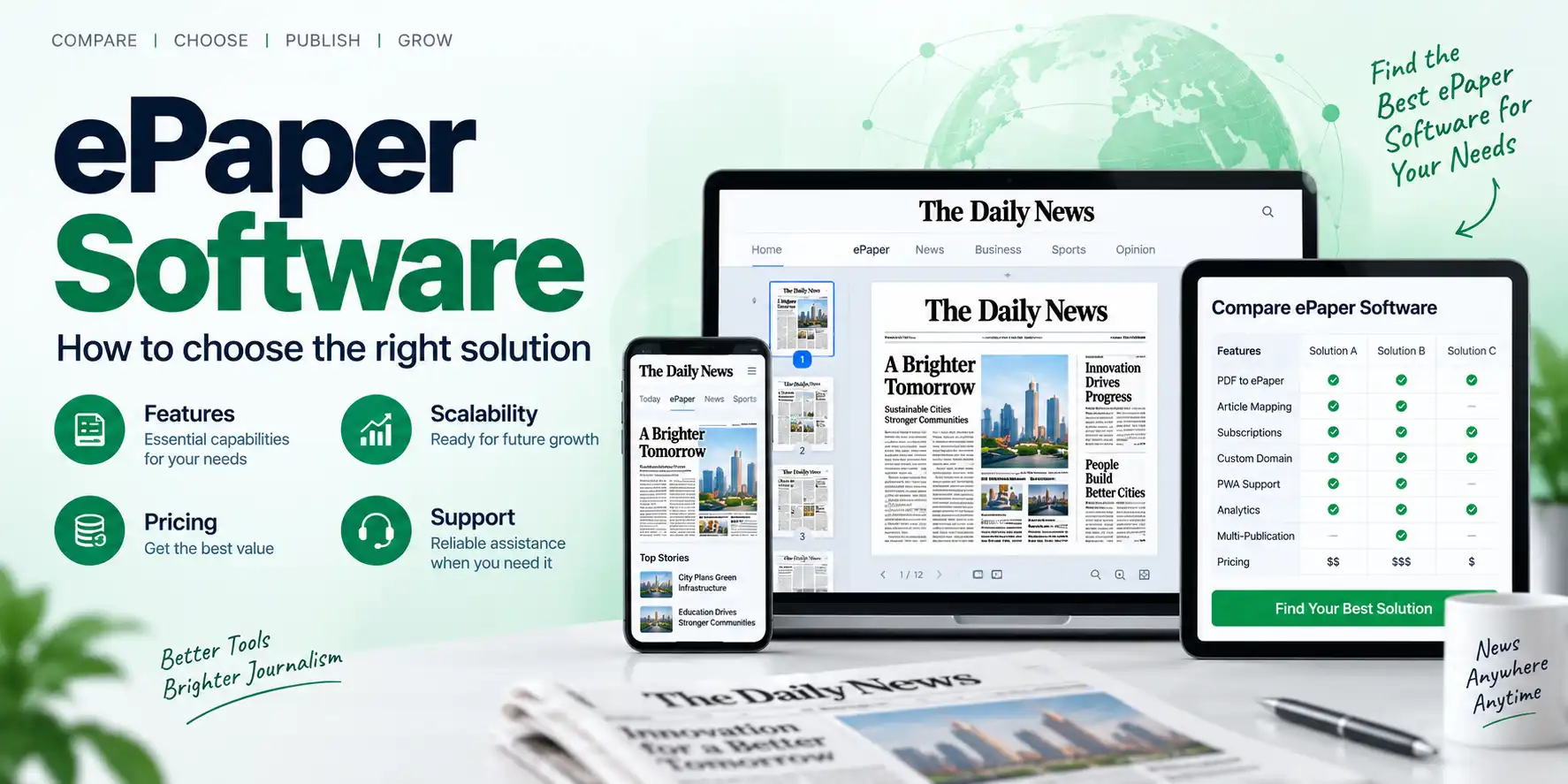
eAkhbar digital newspaper platform is designed to support digital newspaper publishing and online edition management.
Its listed capabilities include:
- PDF publishing
- Digital edition management
- Article mapping
- Digital archives
- Article continuation
- Clip and share functionality
- Reader subscriptions
- Auto-renewing subscriptions
- Online payments
- Custom domain support
- White-label functionality
- PWA support
- SEO tools
- Role-based administration
Publishers evaluating a commercial ePaper CMS software solution can review the available features and publishing options offered by TezzSoft.
Future of ePaper CMS Software
The future of ePaper publishing is likely to include more automation, better reader experiences and intelligent content management.
Future capabilities may include:
- AI-assisted article mapping
- Automated OCR
- Smart headline detection
- Automatic metadata generation
- Multilingual content processing
- Intelligent archive search
- Personalized recommendations
- Automated notifications
- Content performance analysis
- AI-powered publisher assistants
The most effective digital newspaper platforms will combine:
Reliable Publishing Infrastructure + Automation + Editorial Control + Reader Engagement
Frequently Asked Questions
What is an ePaper CMS?
An ePaper CMS is software that helps newspaper publishers upload, organize, manage and publish digital newspaper editions.
Is an ePaper CMS the same as a normal website CMS?
No. A normal CMS is designed for general website content, while an ePaper CMS includes features for newspaper editions, PDF publishing, article mapping, page management and digital archives.
Can I publish a newspaper PDF using an ePaper CMS?
Yes. PDF publishing is one of the primary functions of many ePaper CMS platforms.
Can an ePaper CMS support multiple editions?
Yes. Many platforms support daily, weekly, regional, language-based and special editions.
Can readers access an ePaper on mobile devices?
A modern ePaper CMS should provide a responsive viewer or mobile-friendly digital edition experience.
Does an ePaper CMS support paid subscriptions?
Some platforms provide subscription management, access control, payment integration and renewal features.
What is article mapping in an ePaper CMS?
Article mapping connects a particular area of a newspaper page to an individual digital article, allowing readers to open and read the story separately.
Can an ePaper CMS manage old newspaper editions?
Yes. Digital archive functionality allows publishers to organize and publish previous editions.
Is ePaper CMS software useful for regional newspapers?
Yes. Regional publishers can use it to publish local editions, organize archives and reach readers outside their physical distribution area.
Can an ePaper CMS help with SEO?
Yes. An ePaper CMS can provide SEO tools and structured article pages. Publishers should still ensure that the content is useful, accessible and optimized for search engines.
Conclusion
An ePaper CMS is much more than a tool for uploading newspaper PDFs.
It is a complete digital publishing system that can help publishers manage:
- Newspaper editions
- PDF files
- Pages
- Articles
- Digital archives
- Reader access
- Subscriptions
- Payments
- Mobile publishing
- Online engagement
The basic workflow remains familiar:
Prepare Newspaper → Export PDF → Upload Edition → Map Articles → Publish Online
However, readers receive a more convenient digital experience through mobile access, searchable content, article links, archives and subscription options.
For publishers moving from print-first operations to digital publishing, an ePaper CMS can become the foundation of a modern online newspaper.
The future of newspaper publishing is not simply about uploading a PDF. It is about creating a complete, accessible and engaging digital newspaper experience.