The demand for digital newspapers, online magazines, and subscription-based publications is growing as readers increasingly consume content through smartphones, tablets, and computers. Newspaper publishers, media agencies, technology companies, and entrepreneurs are looking for flexible solutions that allow them to launch digital publishing platforms under their own brand.
White-label ePaper software makes this possible by allowing an organization to use an existing digital newspaper publishing system while presenting it as its own branded platform.
Instead of developing every feature from scratch, businesses can use a white-label ePaper solution to manage digital editions, upload PDFs, publish articles, create subscription plans, organize archives, and provide a branded reader experience.
This guide explains what white-label ePaper software is, how it works, its benefits, important features, use cases, and how to choose the right platform.
What Is White-Label ePaper Software?
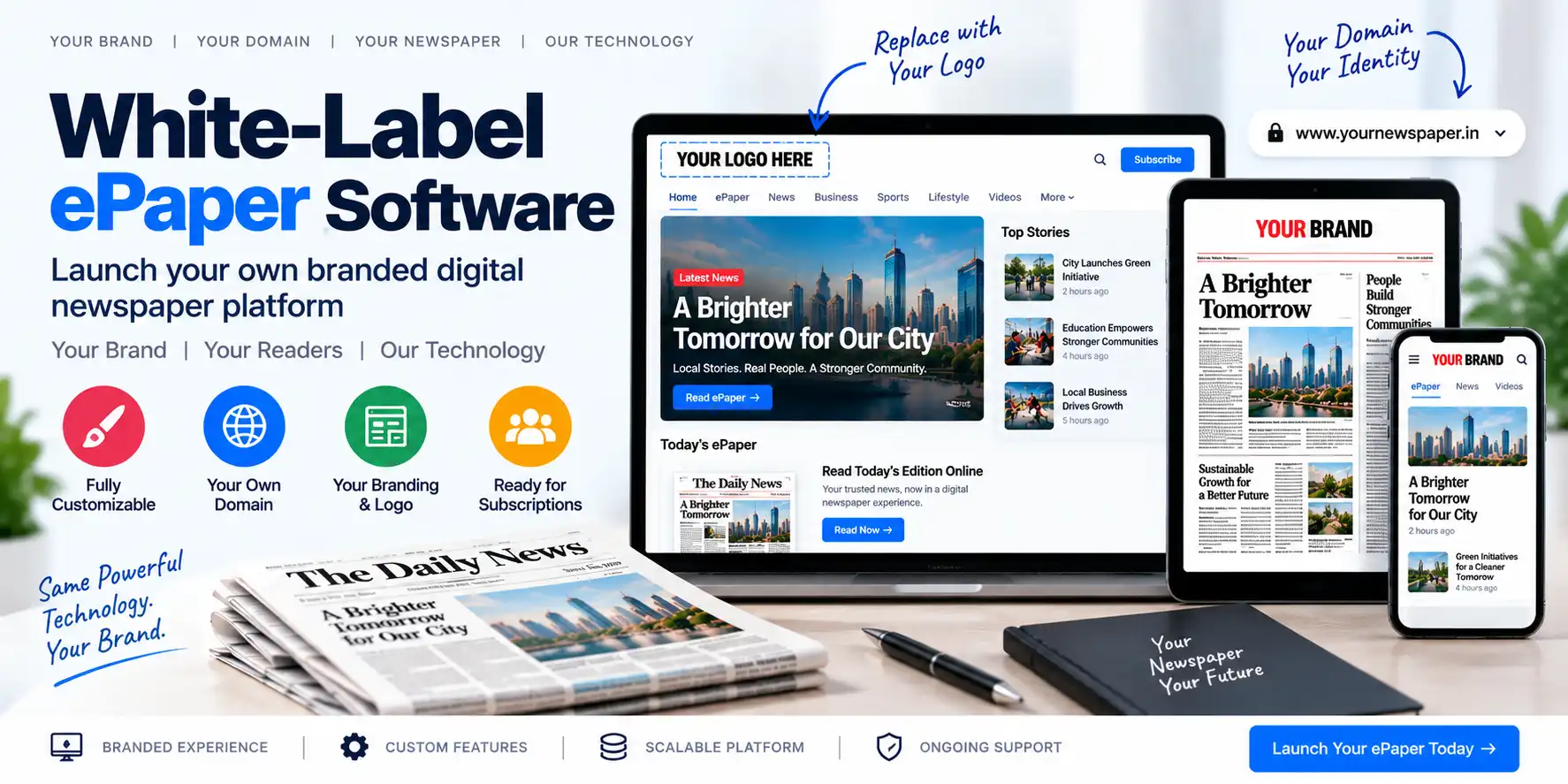
White-label ePaper software is a digital newspaper publishing platform that can be customized and branded for use by another business or organization.
The underlying software may be developed and maintained by a technology provider, while the customer can present the platform using its own:
- Brand name
- Logo
- Domain name
- Colors
- Website design
- Subscription plans
- Publication identity
- Contact details
- Reader interface
For example, a media agency may use a white-label ePaper platform to provide digital newspaper services to multiple publishers. Each publisher may have its own brand identity and digital edition website.
A white-label solution can be used for:
- Newspaper publishers
- Digital media companies
- Regional newspaper groups
- Publishing agencies
- Technology startups
- Local media networks
- Magazine publishers
- Educational publications
- Community organizations
- Franchise-based publishing businesses
How Does White-Label ePaper Software Work?
A white-label ePaper platform generally works through a shared technology foundation or a separately configured installation.
The provider manages the core software, while the customer uses the platform under its own brand.
A typical workflow includes:
- Select a white-label ePaper provider.
- Choose the required features.
- Configure the brand identity.
- Connect a custom domain.
- Add the organization’s logo and colors.
- Configure publication settings.
- Upload PDF newspaper editions.
- Create articles and digital content.
- Set subscription and payment rules.
- Launch the branded ePaper platform.
- Manage readers and publications.
- Maintain and improve the platform.
The exact architecture depends on whether the solution is SaaS-based, self-hosted, multi-tenant, or individually deployed.
White-Label ePaper Software vs Custom Development
Businesses usually have two main options: develop a new ePaper platform from scratch or use an existing white-label solution.
| White-Label ePaper Software | Custom ePaper Development |
|---|---|
| Faster launch | Longer development period |
| Existing core features | Features developed from the beginning |
| Lower initial development effort | Higher initial development cost |
| Provider handles core updates | Customer manages development and updates |
| Branding and configuration options | Complete control over architecture |
| May have platform limitations | Can support highly specific requirements |
| Easier to start and scale | Requires a dedicated development team |
| Ongoing provider dependency | Greater responsibility for maintenance |
White-label software is often suitable for organizations that want to launch quickly and focus on publishing, branding, sales, and customer relationships.
Custom development may be more suitable for organizations with highly specialized workflows or complex integrations.
Benefits of White-Label ePaper Software
1. Faster Time to Market
Developing a complete digital newspaper platform can take considerable time. A white-label solution may already include the core publishing features, allowing the business to launch sooner.
Instead of developing:
- User management
- PDF processing
- Edition management
- Subscription tools
- Payment integration
- Article mapping
- Digital archives
- SEO features
the organization can configure and brand existing functionality.
2. Lower Development Investment
White-label software can reduce the initial cost of building a digital publishing platform.
The organization may avoid spending heavily on:
- Product research
- UI development
- Backend development
- Database architecture
- Payment workflows
- Reader management
- Testing
- Infrastructure setup
However, licensing, hosting, customization, support, and maintenance costs should be evaluated carefully.
3. Complete Brand Ownership at the User Interface Level
A white-label platform can provide a branded experience.
Possible branding elements include:
- Custom logo
- Brand colors
- Custom favicon
- Custom domain
- Branded login page
- Branded subscription page
- Custom email templates
- Branded reader dashboard
- Custom footer and contact information
The available branding options depend on the provider.
4. Launch Multiple Digital Publications
A media group may operate multiple newspapers or magazines.
A white-label platform can potentially support different publications with separate:
- Names
- Logos
- Domains
- Editions
- Reader groups
- Subscription plans
- Content categories
- Branding settings
This is especially useful for organizations managing several regional or language-based publications.
5. Create a New Revenue Stream
A technology company or media agency can offer digital newspaper services to clients.
For example, an agency may provide:
- Digital newspaper website setup
- PDF-to-ePaper publishing
- Subscription management
- Digital archive management
- Website maintenance
- Digital edition hosting
- Reader support
- Branding and customization
The agency may charge customers for setup, licensing, monthly services, customization, or maintenance.
6. Reduce Technical Complexity
The white-label provider may manage important technical components such as:
- Software updates
- Infrastructure
- Bug fixes
- Performance improvements
- Security updates
- Backup systems
- Core platform maintenance
The customer can focus more on content, branding, marketing, and customer service.
7. Support Digital Transformation
Traditional newspapers can use white-label software to modernize their publishing workflow without building a complete technology platform.
They can continue preparing newspaper PDFs while adding:
- Digital editions
- Mobile access
- Digital archives
- Online subscriptions
- Article-level content
- Reader accounts
- Notifications
- Digital payments
Important Features of White-Label ePaper Software
A reliable white-label platform should provide both publishing features and business management tools.
1. Custom Domain Support
A custom domain allows the platform to operate under the customer’s website address.
For example:
epaper.example.comdigitalnews.example.comread.example.com
The platform should support domain configuration through DNS and secure HTTPS.
The exact setup may require:
- DNS records
- SSL certificate configuration
- Domain verification
- Hosting configuration
- Email settings
2. Brand Customization
The administrator should be able to configure:
- Logo
- Brand colors
- Fonts
- Favicon
- Header
- Footer
- Login screen
- Subscription page
- Reader dashboard
- Email templates
Some providers may offer limited branding, while others support deeper design customization.
3. PDF-to-ePaper Publishing
The platform should allow publishers to upload PDF editions and publish them online.
A typical process includes:
- Create a digital edition.
- Add the publication date.
- Upload the PDF.
- Process the file.
- Review page previews.
- Verify page order.
- Publish the edition.
- Add the edition to the archive.
Read PDF to ePaper: How to Convert and Publish a Newspaper Online for a complete explanation.
4. Digital Edition Management
A white-label system should allow publishers to manage multiple editions.
Possible edition types include:
- Daily editions
- Weekly editions
- Monthly magazines
- Regional editions
- City editions
- District editions
- Language editions
- Weekend editions
- Festival supplements
- Special publications
Each edition may include its own date, cover image, description, region, language, and access rules.
5. Article Mapping
Article mapping connects a selected area of a PDF page with a digital article.
This allows readers to click a headline or image and open a dedicated article page.
Benefits include:
- Better navigation
- Improved mobile reading
- Individual article URLs
- Social sharing
- Search engine visibility
- Article continuation support
- Better reader engagement
For more information, read ePaper Article Mapping: How to Turn PDF Newspapers Into Interactive Digital Editions.
6. Digital Article Publishing
In addition to PDF editions, the platform may support individual web articles.
Article fields can include:
- Title
- Subtitle
- Body content
- Featured image
- Author
- Category
- Tags
- Publication date
- SEO title
- Meta description
- Social image
- Related articles
This allows publishers to operate both a digital ePaper and an online news portal.
7. Digital Archive
A digital archive allows readers to access previous editions.
Archive filters may include:
- Date
- Month
- Year
- Region
- Language
- Publication
- Edition type
A structured archive is especially important for newspapers publishing daily editions over several years.
8. Subscription Management
White-label ePaper software should support subscription plans that can be branded and configured by the customer.
Possible options include:
- Monthly subscriptions
- Annual subscriptions
- Premium memberships
- Single-edition purchases
- Trial plans
- Institutional access
- Print-plus-digital packages
- Regional access plans
The platform should also provide subscription status, payment history, expiry dates, and access controls.
Read Newspaper Subscription Software: How to Monetize Your Digital Newspaper.
9. Online Payment Integration
A white-label platform may support payment gateways suitable for the target market.
Potential payment methods include:
- Credit cards
- Debit cards
- Net banking
- UPI
- Digital wallets
- International cards
- PayPal
- Other supported payment services
The business should confirm whether payment accounts belong to the provider or the customer.
This is an important issue because the ownership of payment accounts affects:
- Revenue settlement
- Refund processing
- Tax reporting
- Customer support
- Payment disputes
- Financial control
10. Reader Account Management
Readers should be able to create and manage accounts.
Features may include:
- Email registration
- Mobile registration
- Social login
- Google Sign-In
- Password reset
- Profile management
- Subscription history
- Payment history
- Saved editions
- Device management
- Logout from other sessions
11. Role-Based Administration
A white-label platform should support multiple administrative roles.
Possible roles include:
- Platform Administrator
- Publication Administrator
- Editor
- Reporter
- Subscription Manager
- Finance Manager
- Customer Support Executive
- Regional Manager
- Marketing Manager
Role-based access helps separate technical, editorial, financial, and customer support responsibilities.
12. SEO Tools
Every branded digital newspaper website needs SEO capabilities.
Important features include:
- Custom page titles
- Meta descriptions
- SEO-friendly URLs
- Canonical tags
- XML sitemap
- Open Graph metadata
- Image alt text
- Structured data
- Breadcrumbs
- Internal linking
- Article indexing controls
A white-label website should allow each publication to manage its own SEO identity.
13. PWA and Mobile Support
Readers should be able to access the digital newspaper on smartphones and tablets.
Useful mobile features include:
- Responsive design
- Touch-friendly navigation
- Fast PDF loading
- Mobile article pages
- PWA support
- Add-to-home-screen functionality
- Push notifications
- Mobile subscription checkout
The availability of PWA and notification features depends on the software.
14. Notification System
Notifications can help readers discover new editions and important stories.
Possible notifications include:
- New edition available
- Breaking news
- Special supplement published
- Subscription expiring
- Payment confirmation
- Renewal reminder
- Premium content available
The platform should provide controls for notification preferences and frequency.
15. Analytics and Reporting
A white-label platform should provide useful reports.
Possible reports include:
- Edition views
- Article views
- Active readers
- Subscription revenue
- New subscribers
- Renewal rates
- Expired subscriptions
- Popular editions
- Traffic sources
- Device usage
- Geographic audience
- Payment activity
If the platform supports multiple publications, reports should ideally be available at both platform and publication levels.
16. Security and Data Isolation
Security is particularly important when multiple brands or publications use the same system.
The platform should protect:
- Reader accounts
- Subscription data
- Payment records
- Editorial content
- Uploaded PDFs
- Administrative accounts
- Brand configurations
- Customer data
For multi-tenant platforms, data isolation is essential. One publication should not be able to access another publication’s private data.
Important security measures include:
- HTTPS
- Strong password policies
- Role-based permissions
- Two-factor authentication
- Secure session management
- Audit logs
- Backup and recovery
- Regular security updates
- Access monitoring
- Database protection
White-Label ePaper Software Business Models
White-label software can support different commercial models.
1. SaaS Subscription Model
The provider charges a recurring fee for using the platform.
Possible billing models include:
- Monthly plans
- Annual plans
- Per-publication pricing
- Per-user pricing
- Usage-based pricing
- Storage-based pricing
- Feature-based pricing
2. Setup Fee Model
The provider charges a one-time fee for:
- Branding
- Domain configuration
- Website setup
- Data migration
- Initial edition configuration
- Payment integration
- Custom templates
3. Reseller Model
A reseller sells digital newspaper services to customers under its own commercial brand.
The reseller may manage:
- Customer acquisition
- Branding
- Support
- Billing
- Marketing
- Client onboarding
The underlying technology remains provided by the white-label vendor.
4. Agency Model
A digital agency uses white-label ePaper software to deliver services to multiple newspaper clients.
Services may include:
- Website development
- Digital edition publishing
- SEO
- Subscription setup
- Content management
- Digital marketing
- Technical maintenance
5. Enterprise Licensing
Large media groups may require custom licensing with additional features such as:
- Dedicated infrastructure
- Multiple publications
- Custom integrations
- Advanced analytics
- Priority support
- Service-level agreements
- Custom security requirements
Who Can Use White-Label ePaper Software?
Newspaper Publishers
Publishers can launch a branded digital edition website while continuing their print production workflow.
Media Agencies
Agencies can provide digital publishing services to newspaper and magazine clients.
Regional Newspaper Groups
Groups with several city or language editions can manage multiple publications under one technology platform.
Technology Startups
Startups can create digital publishing services without building the entire ePaper infrastructure themselves.
Magazine Publishers
Magazines can use the platform for monthly editions, special issues, and premium subscriptions.
Educational Institutions
Schools, colleges, and universities can publish digital newsletters, magazines, and institutional newspapers.
Community Organizations
Local organizations can distribute community publications and special editions online.
How to Launch a White-Label ePaper Platform
Step 1: Define Your Business Model
Decide whether you want to:
- Operate one branded newspaper
- Manage multiple publications
- Sell digital publishing services
- Build a reseller business
- Launch a digital magazine platform
- Offer subscription-based publications
Step 2: Identify Required Features
Create a feature checklist covering:
- PDF publishing
- Article management
- Article mapping
- Digital archives
- Subscription plans
- Payment gateway
- Custom domains
- Branding
- Reader accounts
- Analytics
- Notifications
- SEO
- Security
- Multi-language support
- Multi-publication support
Step 3: Select the Right Platform
Compare providers based on:
- Features
- Pricing
- Customization
- Scalability
- Hosting
- Security
- Support
- Data ownership
- Payment ownership
- API availability
- Backup policy
- Exit and migration options
Step 4: Configure Your Brand
Set up:
- Logo
- Domain
- Website title
- Brand colors
- Favicon
- Contact information
- Social media profiles
- Email templates
- Subscription page
- Reader dashboard
Step 5: Configure Publishing Settings
Add:
- Publication name
- Editions
- Categories
- Languages
- Regional settings
- Editorial roles
- Archive structure
- Publication schedule
Step 6: Upload Initial Content
Add:
- Newspaper PDFs
- Digital articles
- Cover images
- Author profiles
- Categories
- Subscription plans
- Archive editions
Step 7: Configure Payments and Access Rules
Connect the required payment gateway and define:
- Subscription prices
- Billing intervals
- Renewal rules
- Access permissions
- Refund policies
- Cancellation policies
- Tax requirements
Step 8: Test the Platform
Test:
- Domain and HTTPS
- Branding
- PDF viewer
- Article pages
- Article mapping
- Archives
- Reader registration
- Login
- Subscription checkout
- Payment confirmation
- Renewal workflow
- Mobile layout
- Notifications
- SEO
- Security permissions
Step 9: Launch and Promote
Promote the platform through:
- Printed newspaper QR codes
- Social media
- Email marketing
- Search engine optimization
- Local advertising
- Partnerships
- Digital campaigns
- Reader referral programs
Step 10: Monitor and Improve
After launch, review:
- Reader activity
- Subscription growth
- Website speed
- Content performance
- Payment failures
- Customer support requests
- Security alerts
- Backup status
- Renewal rates
Important Questions to Ask a White-Label Provider
Before selecting a platform, ask the provider the following questions.
Is the platform fully white-label?
Can the provider’s branding be removed from the website, emails, reader dashboard, and subscription pages?
Can I use my own domain?
Confirm whether custom domains and HTTPS are supported.
Can I manage multiple publications?
Ask whether the platform supports separate newspapers, brands, editions, and reader databases.
Who owns the reader data?
Clarify data ownership, access, export, and privacy responsibilities.
Who controls payment accounts?
Confirm whether payments are processed through the customer’s account or the provider’s account.
Can I export my data?
Ask whether articles, PDFs, users, subscriptions, and reports can be exported.
Is there an API?
An API may be necessary for integrations with:
- CRM systems
- Accounting software
- Mobile apps
- Marketing platforms
- Customer support tools
- External websites
What happens if I cancel the service?
Understand data retrieval, migration support, backups, and account closure procedures.
Is technical support included?
Ask about support channels, response times, maintenance windows, and service-level agreements.
Are customizations possible?
Confirm which elements can be customized and whether custom development is available.
Common Mistakes to Avoid
1. Focusing Only on Branding
A logo and custom domain are not enough. The platform must also provide reliable publishing, security, subscriptions, and support.
2. Ignoring Data Ownership
Businesses should understand who owns and controls reader, content, and subscription data.
3. Not Checking Payment Ownership
Payment account ownership can affect revenue settlement, refunds, taxes, and financial control.
4. Choosing a Platform Without Export Options
A lack of data export can make future migration difficult.
5. Ignoring Multi-Tenant Security
If multiple publications share infrastructure, proper data isolation is essential.
6. Underestimating Storage Requirements
Daily PDF editions, images, and archives can consume significant storage.
7. Not Testing Mobile Access
A digital newspaper must work properly on smartphones and tablets.
8. Overlooking Support and Maintenance
The provider’s support quality can directly affect platform reliability.
9. Using Complex Subscription Plans
Too many confusing plans can reduce reader conversions.
10. Not Reviewing the Contract
Review licensing, renewal, support, uptime, data ownership, cancellation, and migration terms before signing an agreement.
How eAkhbar Can Support Branded Digital Publishing
eAkhbar is a digital ePaper publishing platform with features such as digital edition management, PDF publishing, article mapping, reader subscriptions, recurring subscriptions, online payment integration, custom domain and white-label support, PWA support, digital archives, notifications, and SEO tools. These capabilities can help publishers create and manage a branded digital newspaper platform.
To explore the platform, visit eAkhbar – Digital ePaper Publishing Platform.
For a commercial ePaper CMS solution, visit TezzSoft ePaper CMS Software.
Frequently Asked Questions
What is white-label ePaper software?
White-label ePaper software is a digital newspaper publishing platform that can be branded and presented as another company’s own product or service.
Can I use my own domain with white-label ePaper software?
Many white-label platforms support custom domains, but the exact configuration depends on the provider.
Can I remove the software provider’s branding?
Some providers allow complete removal of their branding, while others offer only limited customization. This should be confirmed before purchase.
Can I manage multiple newspapers through one platform?
Some white-label systems support multiple publications, brands, editions, and domains. Confirm whether the platform provides true multi-publication or multi-tenant support.
Can I sell digital newspaper subscriptions?
Yes. If subscription and payment features are available, you can offer monthly, annual, premium, or single-edition access.
Can agencies resell white-label ePaper software?
Yes. Agencies may use white-label software to offer digital publishing services to newspaper, magazine, and media clients, subject to the provider’s licensing terms.
Is white-label ePaper software cheaper than custom development?
It may reduce initial development time and effort, but total costs depend on licensing, hosting, customization, support, storage, and maintenance.
Who owns the content and reader data?
Ownership depends on the contract and platform architecture. Always confirm data ownership, export rights, privacy responsibilities, and migration options.
Can white-label ePaper software support mobile devices?
A suitable platform should provide responsive access, and some solutions may support PWA features or mobile applications.
Can I customize the subscription and payment system?
Customization depends on the platform. Confirm whether you can configure plans, payment gateways, billing rules, access permissions, and receipts.
Conclusion
White-label ePaper software provides an efficient way to launch a branded digital newspaper or magazine platform without developing every feature from scratch. It can help publishers, agencies, media groups, and technology companies reduce launch time, simplify technical operations, and create new digital publishing services.
A successful white-label solution should offer more than logo and domain customization. It should provide reliable PDF publishing, digital edition management, article mapping, archives, subscriptions, online payments, mobile access, SEO, analytics, security, and data ownership controls.
Before selecting a provider, carefully evaluate branding options, pricing, multi-publication support, payment ownership, data export, security, scalability, technical support, and contract terms.
With the right platform and publishing strategy, white-label ePaper software can become the foundation for a scalable digital newspaper business.