The newspaper industry is moving beyond traditional print distribution. Readers now expect to access news, digital editions, articles, archives, and subscriptions through smartphones, tablets, and computers.
A newspaper website builder helps publishers create a professional online newspaper website without developing every feature from the beginning. Depending on the platform, it may provide tools for publishing articles, uploading PDF editions, managing ePaper content, organizing archives, accepting subscriptions, integrating payments, and improving search engine visibility.
This guide explains what a newspaper website builder is, which features publishers should consider, and how to build a successful digital newspaper website.
What Is a Newspaper Website Builder?
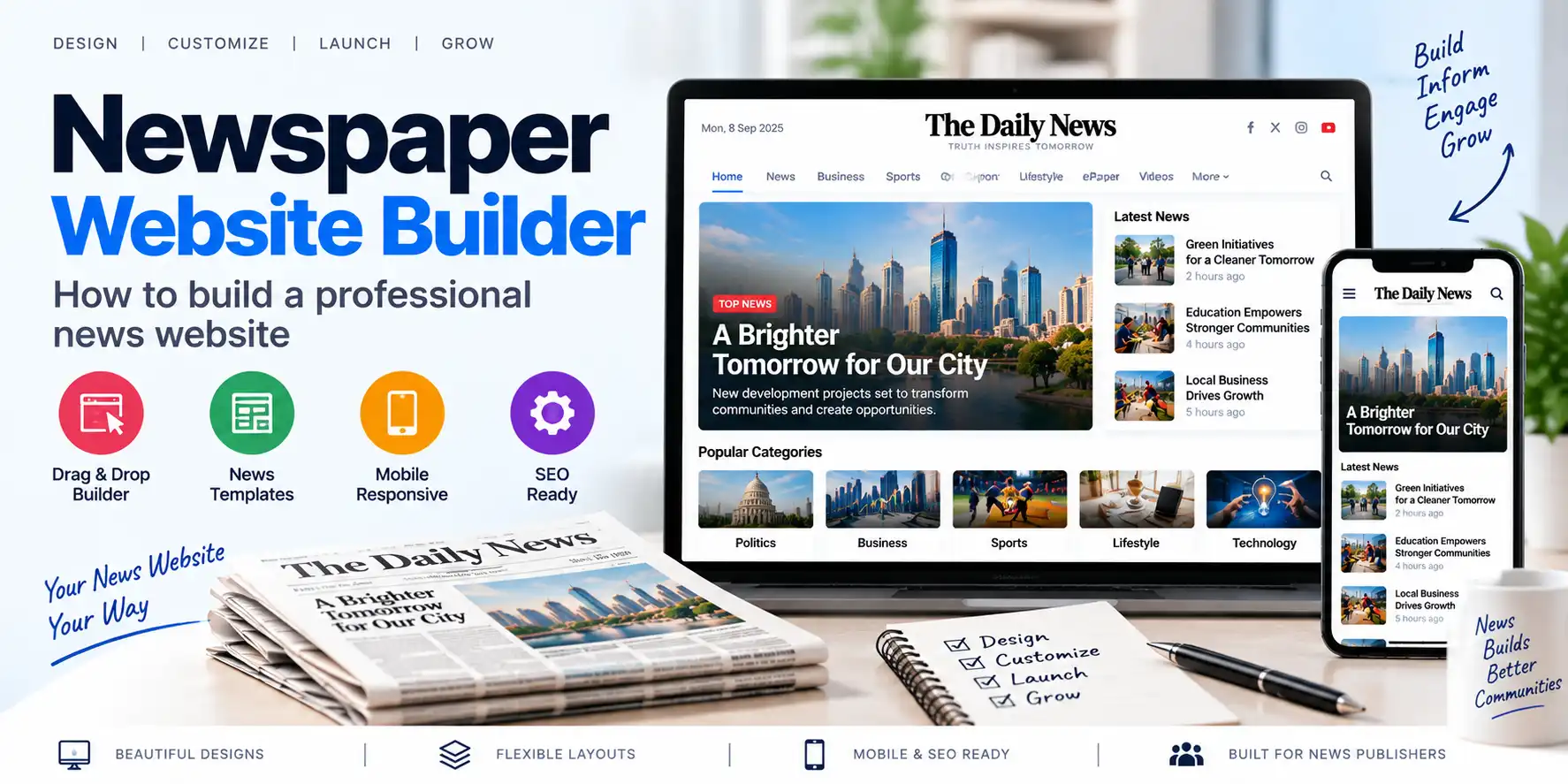
A newspaper website builder is a software platform that helps publishers create, manage, and operate an online newspaper website.
It may include ready-made tools for:
- Newspaper website design
- Digital article publishing
- PDF newspaper uploads
- ePaper edition management
- Regional edition management
- Digital archives
- Reader registration
- Subscription management
- Online payments
- Search engine optimization
- Mobile-friendly reading
- Social sharing
- Notifications
- Advertisement management
- User permissions
Instead of developing a complete newspaper website from the ground up, publishers can use a website builder or newspaper CMS to reduce development time and simplify daily operations.
Why Do Publishers Need a Newspaper Website?
A newspaper website is more than an online copy of a printed publication. It acts as a central digital platform for readers, advertisers, journalists, editors, and subscribers.
Main Benefits
- Reaches readers beyond the print distribution area
- Publishes news throughout the day
- Provides access to digital newspaper editions
- Creates a searchable content archive
- Supports online subscriptions
- Enables digital advertising
- Improves brand visibility
- Provides reader analytics
- Supports mobile access
- Makes content easier to share
A professional website also helps a newspaper build credibility and maintain a consistent digital identity.
Newspaper Website Builder vs General Website Builder
A general website builder may provide pages, blogs, contact forms, and basic design tools. However, a newspaper website often requires specialized publishing features.
| General Website Builder | Newspaper Website Builder |
|---|---|
| Basic page creation | Newspaper-focused content management |
| Standard blog publishing | Article, edition, and publication management |
| Limited archive tools | Structured digital newspaper archives |
| Basic user accounts | Reader and subscriber management |
| Generic templates | Newspaper and media layouts |
| Limited PDF workflows | PDF-to-ePaper publishing |
| Basic SEO features | Article, edition, and archive SEO |
| Simple forms | Subscription and payment workflows |
| General permissions | Editorial and role-based access |
| Basic media uploads | Newspaper pages, articles, and edition assets |
A general website builder may be sufficient for a small blog, but a newspaper publisher may benefit from a specialized newspaper CMS.
For a detailed introduction, read What Is ePaper CMS? Complete Guide for Newspaper Publishers.
Types of Newspaper Websites
Before selecting a platform, publishers should decide what type of newspaper website they want to build.
1. Online News Portal
An online news portal publishes individual articles throughout the day.
Typical categories include:
- Local news
- National news
- International news
- Politics
- Business
- Sports
- Entertainment
- Technology
- Lifestyle
- Education
- Health
- Opinion
This model is suitable for publishers that focus on continuous online reporting.
2. Digital ePaper Website
A digital ePaper website publishes complete newspaper editions in digital format.
Readers may be able to:
- Open daily editions
- Browse newspaper pages
- Zoom into pages
- Search editions
- View previous issues
- Access article-level content
- Share articles
- Purchase subscriptions
3. Hybrid Newspaper Website
A hybrid newspaper website combines:
- Online news articles
- PDF newspaper editions
- Interactive ePaper
- Digital archives
- Subscription services
- Advertising
- Multimedia content
This model allows publishers to serve both print readers and digital audiences.
4. Regional Newspaper Website
A regional newspaper website focuses on a specific state, city, district, language, or community.
It may require:
- Regional editions
- Local news categories
- Multiple languages
- District-level content
- Local advertisements
- Regional subscription plans
- Location-based archives
5. Digital Magazine Website
A newspaper website builder can also be used for magazines and eMagazines.
Possible content types include:
- Monthly magazines
- Business publications
- Educational journals
- Industry reports
- Lifestyle magazines
- Special supplements
- Community publications
Essential Features of a Newspaper Website Builder
A professional newspaper website builder should support the complete publishing lifecycle.
1. Professional Newspaper Design
The website should have a clean and readable layout.
Important design elements include:
- Clear navigation
- Responsive layout
- Newspaper branding
- Category menus
- Search box
- Featured news section
- Latest news section
- Popular articles
- Edition highlights
- Advertisement placements
- Footer links
- Social media links
The design should prioritize readability and fast access to important content.
2. Responsive and Mobile-Friendly Layout
Many readers access news through mobile devices. Therefore, the website should work properly on:
- Android smartphones
- iPhones
- Tablets
- Laptops
- Desktop computers
A mobile-friendly website should provide:
- Readable text
- Responsive images
- Touch-friendly buttons
- Easy navigation
- Fast loading
- Mobile-friendly subscription forms
- Simple article sharing
- Properly sized advertisements
Mobile usability is important for both reader satisfaction and search engine performance.
3. Article Publishing System
The article management system should allow editors and journalists to create and publish content.
Useful fields include:
- Article title
- Subtitle
- Content body
- Featured image
- Image caption
- Author
- Category
- Tags
- Publication date
- Location
- SEO title
- Meta description
- Social sharing image
- Related articles
- Draft status
- Review status
- Publication status
The system should support saving articles as drafts, reviewing them, scheduling publication, and updating published content.
4. PDF-to-ePaper Publishing
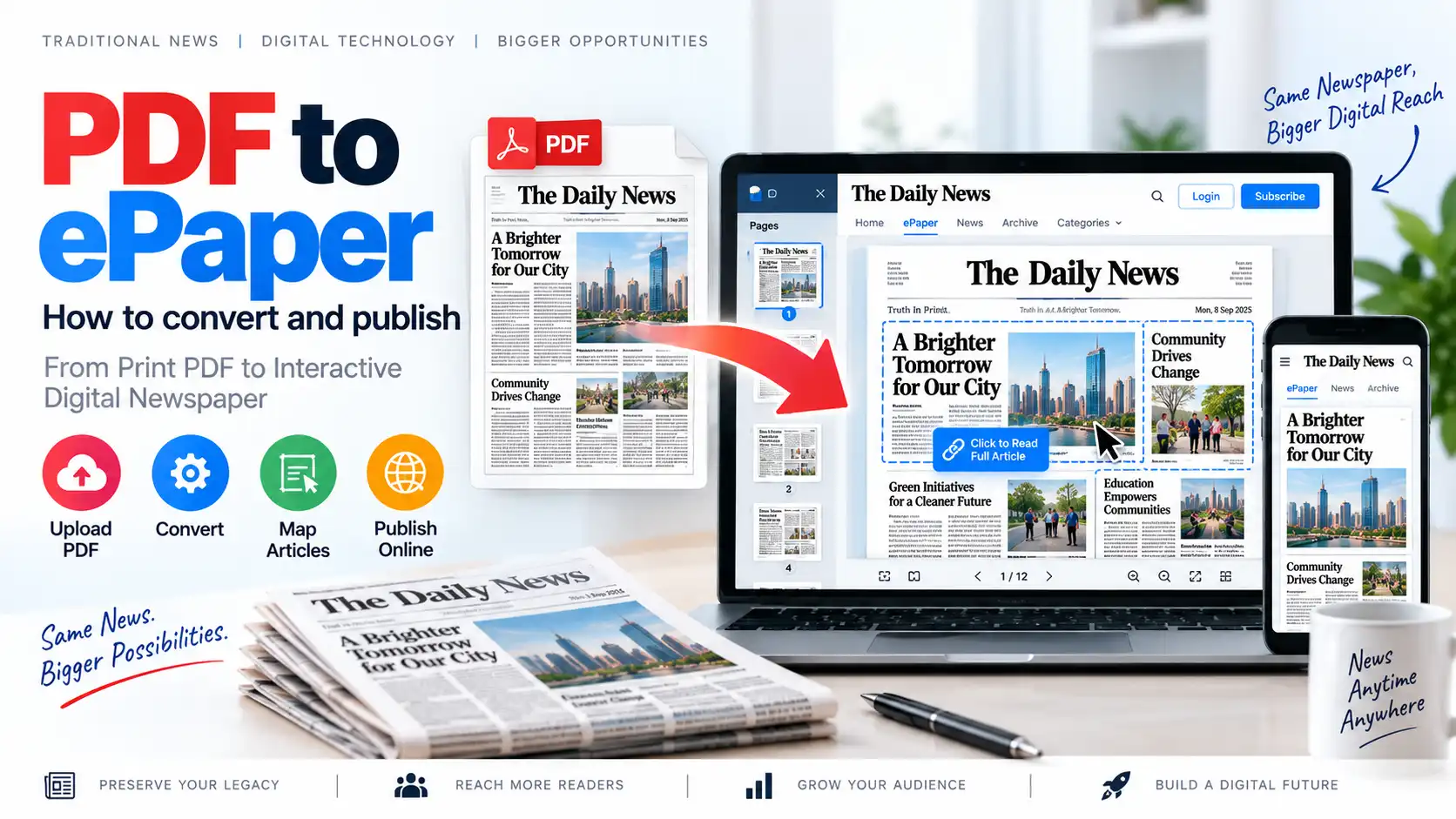
A specialized newspaper website builder should allow publishers to upload their final newspaper PDF and publish it as a digital edition.
The workflow may include:
- Create an edition
- Enter publication details
- Upload the PDF
- Process the file
- Generate page previews
- Verify page order
- Add article mapping
- Configure access rules
- Publish the edition
- Add it to the digital archive
For a complete guide, read PDF to ePaper: How to Convert and Publish a Newspaper Online.
5. Digital Edition Management
Publishers may manage multiple editions from one dashboard.
Examples include:
- National edition
- State edition
- City edition
- District edition
- Weekend edition
- Business edition
- Festival supplement
- Special edition
- Language edition
Each edition may have its own:
- Title
- Publication date
- Cover image
- Description
- Language
- Region
- PDF file
- Article links
- Subscription rules
- Visibility status
6. Article Mapping
Article mapping allows publishers to connect a selected area of a PDF page to a digital article.
For example, a headline on Page 1 can link to a complete article page. This helps readers move from the visual newspaper layout to a readable digital article.
Article mapping can support:
- Clickable headlines
- Image-based links
- Article continuation
- Individual article URLs
- Social sharing
- Search engine optimization
- Better navigation
Read ePaper Article Mapping: How to Turn PDF Newspapers Into Interactive Digital Editions.
7. Digital Archive Management
A digital archive helps readers access previous editions and historical content.
Useful archive filters include:
- Date
- Month
- Year
- Edition
- Region
- Language
- Publication type
- Category
An archive page should be easy to navigate and should not require readers to search through hundreds of unrelated files.
8. Reader Registration and User Accounts
A newspaper website may require reader accounts for subscriptions, saved articles, premium editions, or personalized services.
Registration options may include:
- Email and password
- Mobile number
- One-time password
- Google Sign-In
- Social login
Reader account features may include:
- Profile management
- Subscription status
- Payment history
- Saved articles
- Saved editions
- Download history
- Password reset
- Device management
- Logout from other sessions
9. Newspaper Subscription Management
A professional newspaper website builder may include subscription tools for selling digital access.
Possible subscription features include:
- Monthly plans
- Annual plans
- Premium memberships
- Single-edition purchases
- Trial plans
- Coupon codes
- Auto-renewal
- Payment history
- Expiry notifications
- Access control
- Digital receipts
Publishers can read Newspaper Subscription Software: How to Monetize Your Digital Newspaper for a detailed explanation.
10. Online Payment Integration
If the newspaper website offers paid access, it should support secure payment processing.
Potential payment methods include:
- Credit cards
- Debit cards
- Net banking
- UPI
- Digital wallets
- International payment cards
- PayPal
- Other regional gateways
The payment process should include:
- Plan selection
- Secure checkout
- Payment confirmation
- Subscription activation
- Receipt generation
- Confirmation notification
The exact payment methods depend on the chosen software and payment gateway.
11. Search Engine Optimization Tools
A newspaper website needs strong SEO features to attract organic traffic.
Important SEO capabilities include:
- Custom SEO titles
- Meta descriptions
- Canonical URLs
- XML sitemap
- Search-friendly URLs
- Image alt text
- Structured data
- Open Graph metadata
- Social sharing previews
- Breadcrumb navigation
- Internal linking
- Archive optimization
Each article and edition should have unique metadata.
For example, a useful article URL may look like:
/news/business/digital-newspaper-publishing-guide/
A descriptive URL helps users and search engines understand the page topic.
12. Advertisement Management
Advertising can be an important source of revenue for newspaper websites.
A website builder may support advertising placements such as:
- Homepage banners
- Header advertisements
- Sidebar advertisements
- Article advertisements
- In-content advertisements
- Edition page advertisements
- Mobile advertisements
- Sponsored sections
- Classified listings
Publishers should balance advertising revenue with reader experience. Too many advertisements can reduce readability and increase page loading time.
13. Social Sharing
Readers should be able to share articles and editions easily.
Useful sharing options include:
- Telegram
- X
- Copy link
- QR code
- Other messaging platforms
Social sharing can increase the reach of local and regional news stories.
14. Push Notifications and Alerts
Notifications can help publishers bring readers back to the website.
Possible notifications include:
- New edition published
- Breaking news
- Important local updates
- Subscription expiry
- Payment confirmation
- New premium article
- Special supplement available
- Weekend edition released
Notifications should be relevant and should not be sent excessively.
15. Editorial Workflow and Permissions
Newspaper organizations often have multiple staff members.
A role-based system may include:
- Super Administrator
- Editor-in-Chief
- Managing Editor
- Content Editor
- Reporter
- Proofreader
- Subscription Manager
- Finance Manager
- Advertisement Manager
- Regional Editor
- Customer Support Executive
Each role should have only the permissions required for its work.
For example:
- Reporters can create drafts.
- Editors can review and publish articles.
- Finance managers can view payment records.
- Subscription managers can manage reader plans.
- Administrators can configure the complete system.
16. Multilingual and Multi-Edition Support
Regional publishers may need to manage content in multiple languages and locations.
The website builder should support, where required:
- Multiple languages
- Regional editions
- City-based news
- District categories
- Language-specific menus
- Separate archives
- Regional subscription plans
- Local advertisements
Multilingual publishing requires proper font, search, URL, metadata, and content management support.
17. Website Performance and Caching
A newspaper website may publish a large amount of content every day. Performance optimization is therefore important.
Useful technical features include:
- Page caching
- Image optimization
- Content delivery network
- Lazy loading
- Database optimization
- Browser caching
- Minified assets
- Efficient search
- Optimized PDF delivery
- Server monitoring
A fast website improves user experience and can support better search performance.
18. Security and Backup
A newspaper website stores important content and user information.
Security measures should include:
- HTTPS
- Strong passwords
- Role-based access
- Two-factor authentication
- Secure payment processing
- Regular software updates
- Malware protection
- Audit logs
- Backup systems
- Access monitoring
- Database security
Backups should cover:
- Articles
- Newspaper PDFs
- Images
- Reader accounts
- Subscription records
- Payment records
- Website configuration
How to Build a Newspaper Website Using a Website Builder
Step 1: Define Your Publishing Model
Decide whether the website will focus on:
- Online news
- Digital ePaper
- Print-plus-digital publishing
- Regional news
- Digital magazines
- Paid subscriptions
- Advertising-supported content
This decision affects the software, design, database, and hosting requirements.
Step 2: Select a Domain Name
Choose a short and memorable domain name that reflects the newspaper brand.
A good domain should be:
- Easy to spell
- Easy to remember
- Relevant to the publication
- Suitable for long-term branding
- Available across important social platforms, where possible
Avoid overly complicated domain names or unnecessary numbers.
Step 3: Choose Hosting and Infrastructure
The hosting environment should match the size of the newspaper.
Consider:
- Daily traffic
- Number of editions
- PDF storage requirements
- Image storage
- Subscription volume
- Database size
- Backup needs
- Security requirements
- Expected growth
A small publication may begin with shared or managed hosting, while a larger newspaper may need cloud infrastructure or a dedicated server.
Step 4: Install or Configure the Newspaper CMS
After selecting the platform, configure the core website.
Typical setup tasks include:
- Website name
- Logo
- Brand colors
- Domain connection
- Administrator account
- Email settings
- Time zone
- Language
- Menu structure
- Categories
- User roles
- Security settings
Step 5: Configure Newspaper Categories
Create a clear category structure.
Possible categories include:
- Local
- National
- International
- Politics
- Business
- Sports
- Entertainment
- Technology
- Education
- Lifestyle
- Opinion
- Editorial
- Classifieds
The category structure should be simple enough for readers to understand.
Step 6: Upload Articles and Digital Editions
Start publishing content through the CMS.
For digital editions:
- Create the edition.
- Add publication details.
- Upload the PDF.
- Review the pages.
- Map important articles.
- Configure access permissions.
- Publish the edition.
For online articles:
- Create a new article.
- Add the title and content.
- Upload images.
- Select categories.
- Add SEO metadata.
- Preview the article.
- Publish or schedule it.
Step 7: Configure Subscription Plans
If the website will offer paid access, create subscription plans.
Define:
- Price
- Duration
- Included content
- Edition access
- Renewal rules
- Refund policy
- Cancellation policy
- Payment methods
- Trial options
Make the plan comparison easy to understand.
Step 8: Test the Complete Website
Before launch, test:
- Homepage
- Article pages
- PDF viewer
- ePaper editions
- Article mapping
- Search
- Archive
- Registration
- Login
- Subscription checkout
- Payment confirmation
- Email notifications
- Mobile layout
- Social sharing
- Website speed
- Security permissions
Testing should be performed on multiple browsers and devices.
Step 9: Launch and Promote the Website
After testing, connect the live domain and promote the website.
Promotion channels may include:
- Printed newspaper QR codes
- Social media
- Email newsletters
- WhatsApp groups
- Telegram channels
- SMS campaigns
- Local advertising
- Search engine optimization
- Partnerships with schools and institutions
- Reader referral programs
Step 10: Maintain and Improve the Website
A newspaper website requires continuous maintenance.
Regular tasks include:
- Updating software
- Monitoring uptime
- Checking backups
- Reviewing security logs
- Optimizing images
- Fixing broken links
- Improving SEO
- Reviewing analytics
- Adding new features
- Updating subscription plans
- Managing user support
How Much Does a Newspaper Website Builder Cost?
The cost depends on the platform and the features required.
Major cost factors include:
- Domain registration
- Hosting
- Website design
- Newspaper CMS software
- ePaper functionality
- PDF storage
- Custom development
- Subscription system
- Payment gateway
- Mobile or PWA support
- Security
- Maintenance
- Technical support
- Marketing
A basic newspaper website may require a smaller budget, while a complete digital publishing platform with ePaper, subscriptions, archives, and custom workflows will require more investment.
Publishers should compare the total cost of ownership rather than only the initial development price.
Common Mistakes to Avoid
1. Choosing a Generic Platform
A basic website builder may not support newspaper-specific requirements.
2. Ignoring Mobile Readers
A website that works only on desktop devices can lose a large audience.
3. Poor Website Navigation
Readers should find categories, editions, articles, and archives easily.
4. Uploading Unoptimized PDFs
Large files can cause slow loading and poor reading experiences.
5. Not Creating Article-Level Pages
Only displaying PDF pages may limit sharing and search visibility.
6. Complicated Subscription Checkout
Long forms and confusing payment steps can reduce conversions.
7. Weak Security
Poor access controls can expose content, accounts, or payment-related information.
8. Missing SEO Metadata
Every important article and edition should have unique titles and descriptions.
9. No Backup Strategy
A technical failure can cause the loss of important newspaper content and reader data.
10. Ignoring Analytics
Without performance data, publishers may struggle to understand reader behavior and subscription growth.
How eAkhbar Supports Digital Newspaper Publishing
eAkhbar is a digital ePaper publishing platform designed to help publishers manage digital editions, PDF publishing, article mapping, subscriptions, archives, online payments, SEO, notifications, and mobile access. These capabilities can support publishers that want to create and manage a professional digital newspaper website.
Publishers can explore eAkhbar – Digital ePaper Publishing Platform to learn more about digital newspaper publishing workflows.
For a commercial ePaper CMS solution, visit TezzSoft ePaper CMS Software.
Frequently Asked Questions
What is a newspaper website builder?
A newspaper website builder is a platform used to create and manage online newspaper websites, articles, digital editions, archives, subscriptions, advertisements, and reader accounts.
Can I create a newspaper website without coding?
Some newspaper website builders provide ready-made features and configuration tools that reduce the need for coding. Advanced customizations may still require a developer.
Can a newspaper website publish PDF editions?
Yes. A specialized ePaper platform can allow publishers to upload and publish PDF newspaper editions online.
Can I manage multiple newspaper editions?
Yes. A suitable newspaper CMS can support multiple regional, city, language, weekend, or special editions.
Can I sell digital newspaper subscriptions?
Yes. If the platform supports subscription management and payment integration, publishers can sell monthly, annual, premium, or single-edition access.
Can I publish both articles and PDF newspapers?
Yes. A hybrid newspaper website can publish regular online articles along with complete digital ePaper editions.
Is a newspaper website mobile-friendly?
A professionally designed newspaper website should be responsive and accessible on smartphones, tablets, laptops, and desktop computers.
Can I monetize a newspaper website?
Yes. Monetization options include digital subscriptions, advertisements, sponsored content, memberships, premium articles, institutional access, and classified listings.
Do I need separate software for ePaper and website management?
Not necessarily. An integrated ePaper CMS may combine website publishing, digital editions, article mapping, archives, subscriptions, and reader management in one platform.
How can I improve my newspaper website’s SEO?
Publish unique articles, use descriptive URLs, optimize metadata, create article-level pages, improve website speed, add internal links, optimize images, and maintain a structured digital archive.
Conclusion
A newspaper website builder can help publishers move from traditional print distribution to a modern digital publishing environment. It reduces the complexity of creating a website and provides tools for managing articles, PDF editions, archives, subscriptions, advertisements, and readers.
The best platform should be selected according to the publisher’s requirements. A basic online news website may need only article publishing and SEO features, while a complete digital newspaper business may require PDF-to-ePaper publishing, article mapping, subscription management, payment integration, mobile access, and digital archives.
By choosing the right newspaper website builder and maintaining a strong publishing strategy, newspapers can reach more readers, create new revenue opportunities, and build a sustainable digital presence.