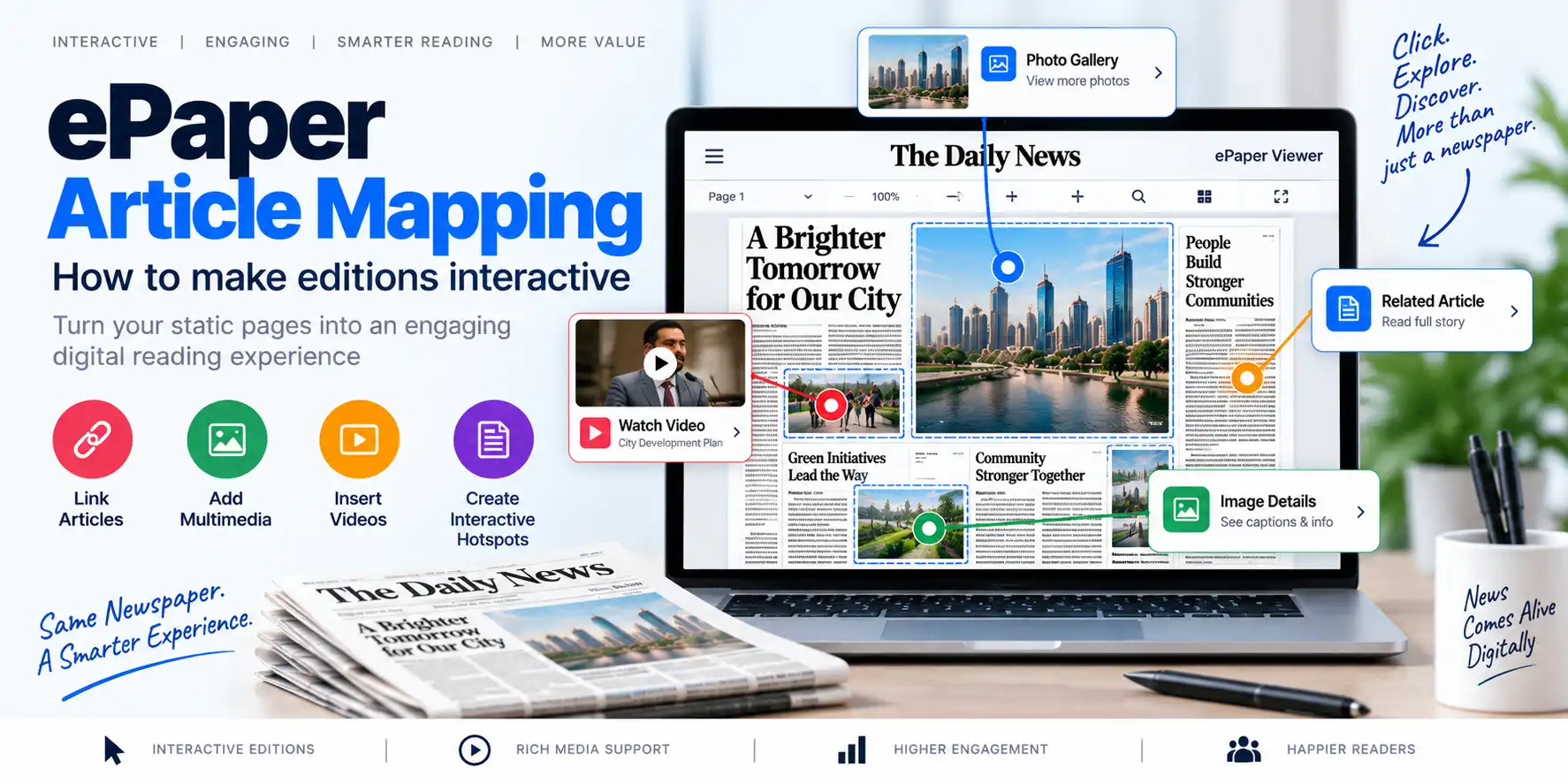
ePaper article mapping is the process of connecting specific areas of a newspaper PDF page with individual digital articles. These areas may include headlines, images, columns, article boxes, or complete news sections.
A traditional newspaper PDF displays the complete printed page as a single document. Readers can zoom in and move around the page, but they may not be able to open a particular article directly.
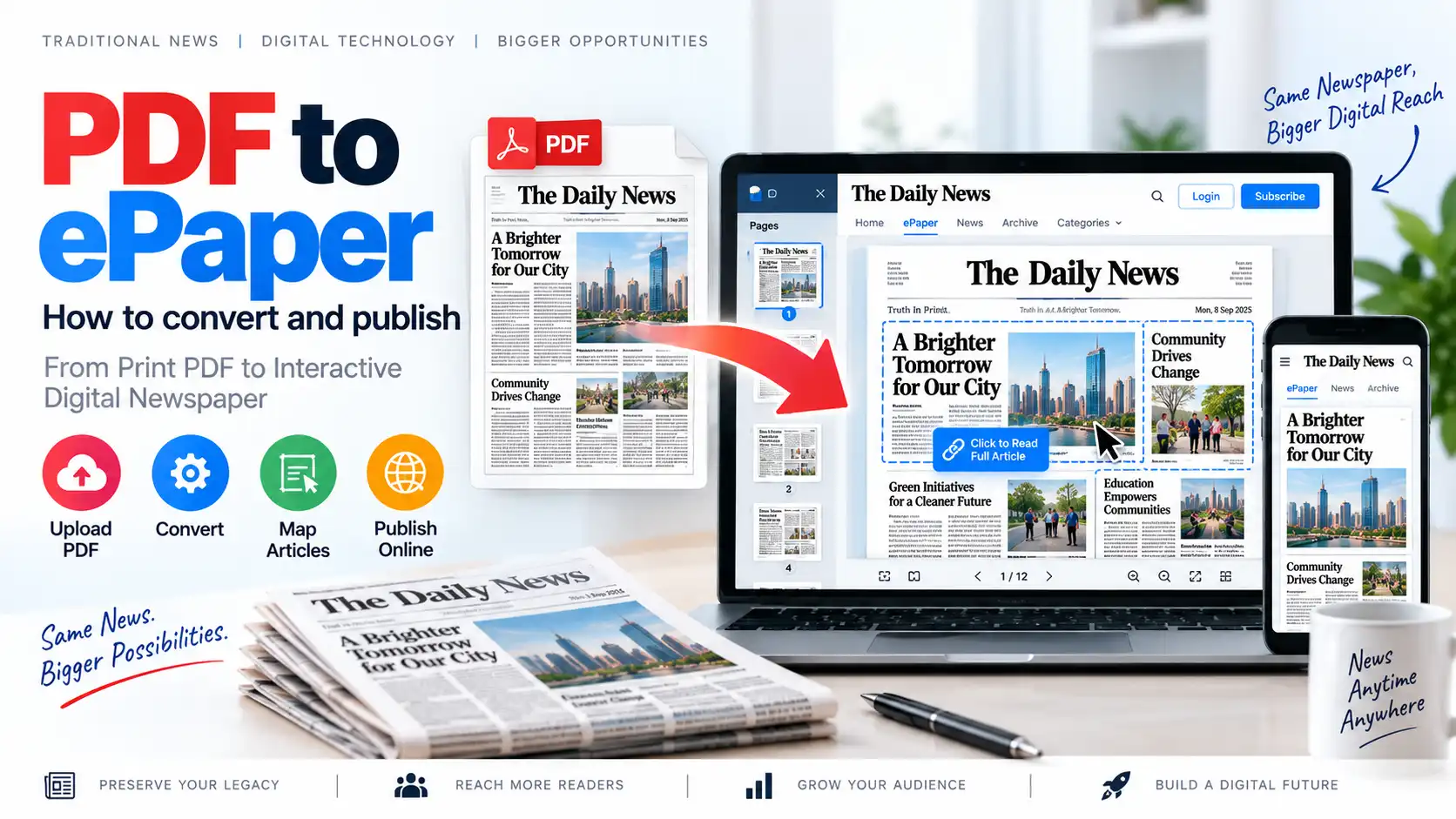
With article mapping, publishers can convert a static PDF page into an interactive digital newspaper. A reader can click a headline, image, or article section and open the corresponding article in a readable, mobile-friendly format.
This process is also called ePaper area mapping, newspaper article mapping, or article-level ePaper publishing.
Article mapping is an important feature of modern ePaper CMS software, because it connects the visual experience of a printed newspaper with the accessibility and flexibility of digital publishing.
Why Is Article Mapping Important for Digital Newspapers?
Publishing a PDF online is a useful first step toward digital newspaper distribution. However, a PDF alone may not provide the best experience for readers using smartphones, tablets, or search engines.
Article mapping improves the digital edition by allowing publishers to create individual article links from a newspaper page.
Better Reader Navigation
Readers can select a headline or image instead of searching through an entire PDF page. This is especially useful when a page contains multiple articles, advertisements, photographs, and columns.
Improved Mobile Experience
Reading a complete newspaper page on a mobile screen can be difficult. Article mapping allows readers to open individual articles in a responsive layout that is easier to read on smaller screens.
Individual Article URLs
Each mapped article can have its own URL. These links can be shared through messaging apps, social media, email newsletters, and other digital channels.
Better Search Engine Visibility
Search engines generally understand structured HTML article content more easily than text embedded inside a PDF image. By creating individual digital articles, publishers can improve the discoverability of their content.
Increased Reader Engagement
Readers can move from one article to another, explore related stories, share specific news items, and spend more time on the digital newspaper platform.
Better Subscription Opportunities
Article-level publishing makes it easier to place selected articles, editions, or archives behind subscription access. It can also help publishers measure which stories attract the most attention.
PDF Newspaper Pages vs Interactive Digital Editions
A PDF newspaper and an interactive digital edition are related, but they are not the same.
| Feature | Traditional PDF Newspaper | Interactive Digital Edition |
|---|---|---|
| Full newspaper page | Yes | Yes |
| Zoom and page navigation | Usually | Usually |
| Individual article links | Limited or unavailable | Yes |
| Mobile article reading | Often difficult | Optimized |
| Search engine-friendly articles | Limited | Better potential |
| Social sharing | Usually page-level | Article-level and page-level |
| Article analytics | Limited | More detailed |
| Subscription access | Basic or external | Can be integrated |
| Related article navigation | Limited | Possible |
| Article continuation handling | Manual | Can be connected digitally |
The PDF remains valuable because it preserves the original newspaper layout. Article mapping adds a second layer that makes the same edition more interactive and accessible.
How Does ePaper Article Mapping Work?
The process connects a specific area of a PDF page to a digital article stored inside an ePaper CMS.
For example, a newspaper’s front page may contain:
- A main headline
- A photograph
- Two smaller news stories
- A local news column
- A sports section
- An advertisement
The publisher can select the area containing the main headline and connect it to a digital article. When a reader clicks that area, the system opens the complete article.
A typical workflow includes the following steps.
Step-by-Step ePaper Article Mapping Workflow
1. Prepare the Newspaper PDF
The first step is to prepare the final newspaper PDF.
The PDF should be:
- Complete and correctly ordered
- High enough quality for comfortable reading
- Free from missing pages
- Properly aligned
- Checked for incorrect text or image placement
- Exported in a consistent format
Publishers should verify the PDF before uploading it to the digital newspaper platform.
2. Create a Digital Edition
Create a new edition in the ePaper CMS.
Common edition details include:
- Newspaper name
- Edition title
- Publication date
- Language
- Edition category
- Page count
- Cover image
- Publication status
- Subscription visibility
- Archive settings
For daily newspapers, the edition date and edition name should follow a consistent format.
3. Upload the PDF
Upload the final PDF file to the digital publishing system.
The platform may process the file to display:
- Individual pages
- Page thumbnails
- Zoomable content
- Page navigation
- Download options
- Digital edition previews
The publisher should check that every page has loaded correctly.
4. Open the Article Mapping Interface
The article mapping interface displays a newspaper page and allows the publisher to select specific areas.
Depending on the software, the publisher may be able to draw a rectangular selection around:
- A headline
- A photograph
- A complete article
- A column
- A news box
- A section title
- A continuation marker
The selected area becomes a clickable region on the digital newspaper page.
5. Identify the Article Area
The publisher should carefully identify the boundaries of each article.
For example, an article may include:
- Headline
- Subheadline
- Main image
- Caption
- Text columns
- Byline
- Article continuation indicator
The selected region should be large enough for the reader to click easily but should not overlap with another article.
6. Connect the Area to an Article
After selecting the area, the publisher can connect it to an existing article or create a new digital article.
The article may contain:
- Article title
- Summary
- Full article text
- Featured image
- Author or reporter name
- Publication date
- Category
- Tags
- SEO title
- Meta description
- Social sharing image
- Related articles
This creates a connection between the PDF region and the article page.
7. Map Headlines and Images
Publishers may map more than just the main headline.
Useful mapping targets include:
- Main headlines
- Secondary headlines
- Article images
- Photo stories
- Editorials
- Business news
- Sports stories
- Local news
- Entertainment stories
- Special reports
- Infographics
Mapping both the headline and the image can make the digital edition easier to use.
8. Handle Article Continuation
Many newspapers continue an article from one page to another.
For example:
- The headline begins on page 1
- The article continues on page 6
- The final paragraphs appear on page 8
The digital version should connect these sections to one article whenever possible.
This avoids creating several disconnected articles and gives readers a continuous reading experience.
9. Add Article Metadata
Article metadata helps improve organization, search, sharing, and discoverability.
Important metadata may include:
- Article title
- URL slug
- Category
- Language
- Publication date
- Author
- Keywords
- Meta description
- Featured image
- Related edition
- Related articles
Metadata should accurately describe the article and should not be copied mechanically without review.
10. Preview the Mapped Edition
Before publishing, preview the edition on different screen sizes.
Check:
- Whether the mapped area is correctly positioned
- Whether the headline opens the correct article
- Whether the image link works
- Whether the article loads quickly
- Whether the article is readable on mobile
- Whether article continuation works
- Whether links overlap
- Whether the page remains usable after zooming
Previewing is especially important when the PDF layout changes from one issue to another.
11. Test on Multiple Devices
Test the digital edition on:
- Desktop computers
- Laptops
- Android phones
- iPhones
- Tablets
- Different browsers
A mapping region that works well on a desktop may be difficult to click on a small screen. The clickable areas should be large enough and accurately aligned.
12. Publish and Archive the Edition
After testing, publish the digital edition.
The system should ideally support:
- Public or private editions
- Scheduled publication
- Edition archives
- Reader access controls
- Subscription restrictions
- Search engine settings
- Social sharing
- Notifications
- Download permissions
Once published, the edition should be added to the newspaper’s digital archive for future access.
Common Types of ePaper Article Mapping
Different newspapers use different mapping methods depending on their page layout.
Headline Mapping
A headline area is connected to a complete digital article.
This is one of the most common mapping methods because readers naturally click headlines to read more.
Image Mapping
A photograph or illustration is connected to an article or photo story.
Image mapping is useful for:
- Photo features
- Sports stories
- Political coverage
- Human-interest stories
- Visual reports
Full Article Mapping
The complete article region is selected and connected to a digital article.
This method is useful when the article occupies a clearly defined area of the newspaper page.
Column Mapping
A newspaper column or narrow news section is mapped to a digital article.
This is useful for:
- Editorial columns
- Business updates
- Local news summaries
- Opinion pieces
- Short news briefs
Section Mapping
A larger section of the page is connected to a category, section page, or collection of articles.
For example, the sports section on a page may open a sports news category.
Continuation Mapping
An article beginning on one page is connected to its continuation on another page.
This helps preserve the original newspaper structure while offering a continuous digital reading experience.
Advertisement Mapping
Advertisement areas may be connected to:
- An advertiser’s website
- A landing page
- A product page
- A contact form
- A campaign page
Advertisement mapping should be used carefully and should clearly distinguish advertisements from editorial content.
Benefits of ePaper Article Mapping for Publishers
1. Converts PDFs Into Interactive Content
Article mapping allows publishers to use their existing PDF production workflow while adding interactive digital functionality.
2. Preserves the Original Newspaper Design
The original newspaper page remains available, allowing readers to experience the publication as it appears in print.
3. Adds a Modern Reading Experience
Readers can switch from page-level viewing to article-level reading based on their preferences.
4. Makes Articles Easier to Share
A reader can share a specific article instead of sending an entire newspaper PDF.
5. Supports Article-Level SEO
Individual articles can include optimized titles, descriptions, URLs, headings, and structured content.
6. Helps Track Content Performance
When articles are published individually, publishers can analyze:
- Article views
- Popular topics
- Reader engagement
- Referral sources
- Social traffic
- Subscription conversions
- Popular editions
7. Supports Digital Monetization
Mapped articles can be connected to subscription plans, premium access, advertisements, or membership systems.
8. Improves Accessibility
Text-based article pages can offer better support for:
- Screen readers
- Adjustable font sizes
- Mobile reading
- Keyboard navigation
- Accessible layouts
Accessibility depends on the quality of the digital article content and the publishing platform.
9. Simplifies Content Reuse
Mapped articles can be reused in:
- Newsletters
- Mobile applications
- Social media posts
- Website categories
- Search pages
- Related article widgets
10. Creates a Stronger Digital Archive
An archive containing individual articles is more useful than an archive containing only large PDF files.
Readers can search by:
- Date
- Topic
- Category
- Headline
- Author
- Edition
- Keyword
ePaper Article Mapping and SEO
A newspaper PDF may contain valuable information, but search engines may not interpret every part of a visually designed PDF in the same way as a well-structured HTML article.
Article mapping creates opportunities for stronger SEO.
Use Descriptive Article Titles
Every mapped article should have a clear title that explains the topic accurately.
Avoid titles that are too short, vague, or filled with unnecessary keywords.
Create Clean URL Slugs
Use readable URLs such as:
/news/local-city-development-project/
Avoid unnecessarily long URLs containing random numbers or unclear parameters.
Add Unique Meta Descriptions
Each article should have a unique meta description that summarizes the story and encourages relevant clicks.
Use Proper Heading Structure
Article pages should use a logical heading hierarchy, including a clear article title and relevant subheadings.
Add Image Alt Text
Images should have meaningful alt text that describes their content.
Connect Related Articles
Link related stories, previous reports, follow-up articles, and relevant newspaper sections.
Add Structured Data Where Appropriate
Publishers may consider suitable structured data, such as news article markup, when the content and website meet the relevant requirements.
Avoid Duplicate Content Problems
If the same article appears in a PDF, an HTML article page, and multiple archive pages, publishers should maintain clear canonicalization and indexing strategies.
Keep Publication Dates Accurate
News websites should display accurate publication and update dates. Incorrect dates can reduce trust and create confusion for readers and search engines.
Best Practices for Accurate Article Mapping
Maintain a Consistent Page Layout
If the newspaper layout changes dramatically every day, mapping can take more time. Consistent templates make the process easier.
Use Standard Article Categories
Create categories such as:
- National
- International
- State
- Local
- Business
- Sports
- Entertainment
- Technology
- Editorial
- Lifestyle
Keep Article Titles Consistent
The headline shown on the PDF should match or closely correspond to the title on the digital article page.
Avoid Overlapping Mapping Areas
Two clickable areas should not overlap. Overlapping regions can cause the wrong article to open.
Make Clickable Areas Large Enough
Small clickable regions can be difficult to use on smartphones and tablets.
Review Every Edition Before Publishing
A short quality-control checklist can prevent broken links, incorrect articles, and missing mappings.
Preserve Article Continuations
When a story continues on another page, connect the complete story instead of creating confusing duplicate entries.
Optimize Article Images
Use appropriately sized images and modern formats where supported. Large images can slow down article pages.
Keep Archives Organized
Use consistent edition dates, categories, and naming conventions so readers can find older issues easily.
Maintain a Correction Workflow
If an article contains an error, publishers should have a way to update the digital article while maintaining a transparent correction process.
Common ePaper Article Mapping Mistakes
Mapping the Wrong Article
A small selection error can connect a headline to the wrong story. Always preview every mapped area.
Ignoring Mobile Devices
Desktop-based mapping does not guarantee a good mobile experience. Test on real smartphones.
Publishing Without Metadata
Articles without titles, descriptions, categories, or images may be difficult to discover and organize.
Creating Duplicate Articles
The same story may accidentally be created multiple times when it continues across several pages.
Forgetting Article Continuations
Readers may reach only the first part of a story if continuation pages are not connected correctly.
Using Poorly Scanned PDFs
Low-quality scans make it difficult to identify article boundaries and can reduce reader satisfaction.
Not Checking Edition Dates
Incorrect dates can affect archives, search visibility, subscriptions, and reader trust.
Treating Mapping as a One-Time Task
Newspaper layouts, categories, and publishing requirements change over time. Mapping workflows should be reviewed regularly.
How AI Can Support ePaper Article Mapping
Artificial intelligence can help publishers reduce manual work in digital edition production.
Depending on the capabilities of the software, AI may assist with:
- Identifying headline regions
- Detecting article boundaries
- Recognizing text blocks
- Suggesting article titles
- Extracting text from PDF pages
- Classifying articles by topic
- Connecting related content
- Detecting possible continuation pages
- Suggesting metadata
However, AI-generated mapping should be reviewed by a human before publication. Newspaper layouts may contain advertisements, multi-column stories, captions, sidebars, and complex article continuations that require editorial judgment.
Modern ePaper publishing platforms may offer AI-assisted article mapping alongside PDF publishing and edition management. For example, TezzSoft’s ePaper CMS Software includes AI-Assisted Article Mapping as part of its digital newspaper publishing feature set.
How ePaper CMS Software Supports Article Mapping
A complete ePaper CMS should connect article mapping with the rest of the publishing workflow.
Important capabilities include:
- PDF upload and publishing
- Edition management
- Article mapping
- Article creation and editing
- Article continuation
- Digital archives
- Mobile-friendly article pages
- Reader accounts
- Subscription management
- Online payments
- SEO controls
- Notifications
- Role-based access
- Analytics and reporting
TezzSoft’s ePaper CMS Software is designed for digital newspaper publishing and includes features such as PDF-to-digital-edition publishing, AI-assisted article mapping, edition management, digital archives, subscriptions, online payments, SEO tools, PWA support, and role-based administration.
Publishers can explore the platform through the ePaper CMS Software product page or visit eAkhbar, a digital newspaper publishing platform. ePaper CMS Software eAkhbar
ePaper Article Mapping for Different Types of Publishers
Daily Newspapers
Daily newspapers can map the most important stories from every edition and gradually increase the number of mapped articles as their workflow improves.
Regional Newspapers
Regional publishers can connect local news headlines with detailed articles in regional languages.
Community Newspapers
Community publications can use article mapping to make local announcements, events, public notices, and community reports easier to access.
Magazine Publishers
Magazines can map feature stories, interviews, product reviews, photo essays, and special sections.
Educational Publications
Schools, colleges, and educational organizations can use article mapping for newsletters, campus publications, reports, and institutional magazines.
Multi-Edition Publishers
Publishers operating several city, district, state, or language editions can use a centralized system to manage editions and mapped content.
A Practical Daily Article Mapping Process
A newspaper publisher can organize the workflow as follows:
- Finalize the newspaper PDF.
- Check the PDF for missing pages or layout errors.
- Create the edition with the correct date and language.
- Upload the PDF.
- Review the page thumbnails.
- Identify important headlines and article regions.
- Create or import digital article content.
- Map headlines, images, and article sections.
- Connect continuation pages.
- Add categories and metadata.
- Review links and clickable areas.
- Test the edition on desktop and mobile.
- Publish the edition.
- Send reader notifications.
- Monitor article views and reader engagement.
- Preserve the edition in the digital archive.
This process can be improved over time through templates, reusable categories, editorial checklists, and AI-assisted tools.
Frequently Asked Questions
What is ePaper article mapping?
ePaper article mapping connects specific areas of a newspaper PDF page to individual digital articles. Readers can click headlines, images, or article regions to open readable online content.
Is article mapping the same as converting PDF to ePaper?
Not exactly. PDF-to-ePaper publishing makes the PDF available as a digital edition. Article mapping adds clickable connections between PDF areas and individual articles.
Can article mapping improve newspaper SEO?
Yes. When mapped content is published as structured HTML articles with unique titles, URLs, metadata, and internal links, it may create better opportunities for search engine visibility than a PDF-only publication.
Can article mapping work on mobile devices?
Yes, provided the digital newspaper platform supports responsive layouts and the clickable regions are correctly configured and tested on mobile screens.
Can one article continue across multiple newspaper pages?
Yes. A suitable ePaper publishing system can connect article sections across pages so that readers can access the complete story.
Does article mapping require manually creating every article?
The process depends on the publishing platform. Some systems support manual mapping, content import, text extraction, or AI-assisted mapping. Human review is still recommended.
Can mapped articles be placed behind a subscription?
Yes. If the ePaper CMS includes subscription and access-control features, publishers may restrict selected articles, editions, or archives to paid readers.
Is article mapping useful for regional newspapers?
Yes. Regional newspapers can use article mapping to make local-language news, district reports, community updates, and regional editions easier to read and share.
What should publishers check before publishing a mapped edition?
Publishers should verify article links, clickable areas, article titles, continuation pages, mobile usability, metadata, edition dates, images, and subscription permissions.
Conclusion
ePaper article mapping transforms a static newspaper PDF into a more useful and interactive digital edition. By connecting headlines, images, columns, and article regions to individual digital content, publishers can improve navigation, mobile reading, sharing, SEO, analytics, subscriptions, and archive usability.
The best approach is to preserve the original newspaper page while also offering structured, readable article pages. A reliable ePaper CMS can bring PDF publishing, article mapping, edition management, digital archives, subscriptions, SEO, and mobile access into one workflow.